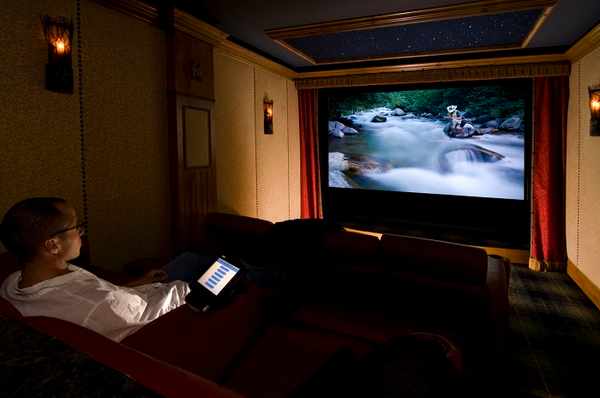
You might be wondering how to set up home theater systems that do not suffer from flat audio or disjointed controls. Nothing ruins cinematic immersion faster than poor room aesthetics or sound that feels miles away from the action on screen.
A professional setup matters because it bridges the gap between basic TV watching and a true theater experience right in your living room. At Custom Residential Systems, our appliance experts know how to overcome these technical hurdles with proper space planning and advanced audio mapping.
The following guide breaks down the essential steps for room layout, visual component selection, and precise technical calibration. You will discover exactly what it takes to achieve true theater-quality audio and video at home.
Upgrade Your Viewing Experience
Discover premium audio and video components designed for the ultimate cinematic immersion. Let our local experts guide your next project.
Key Takeaways
- Room layout and acoustic planning dictate the overall quality of your cinematic experience.
- Selecting the right visual components depends entirely on your room's natural light and seating distance.
- A high-quality AV receiver acts as the brain for all your audio and video processing.
- Professional calibration fine-tunes your hardware to overcome physical room limitations.
Mastering Room Layout and Acoustic Planning
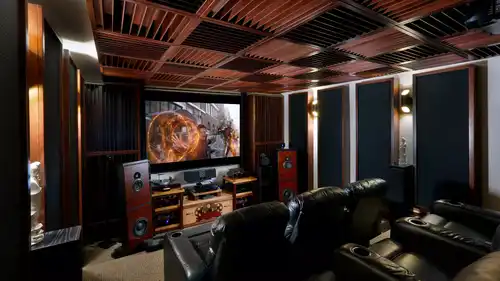
Proper room geometry and seating distance dictate how you experience a movie. You want your screen to fill your field of vision without causing eye strain. A basic home theater screen size calculator helps map out the optimal viewing angles based on your room dimensions.
Taming Room Acoustics
Managing home theater room acoustics requires controlling how sound bounces off hard surfaces. You can treat sound reflections by strategically placing plush furniture, thick curtains, or dedicated acoustic wall panels. This simple step prevents movie dialogue from sounding hollow or muddy.
Planning Your Infrastructure
Before you mount a single bracket, you must plan your infrastructure. Concealed home cinema wiring keeps the space clean and prevents tripping hazards. Run your cables through the walls during the early planning stages for a highly polished final look.
Professional Tip: Always install a 2-inch PVC conduit pipe behind the drywall from your equipment rack to your display location. This makes pulling new, upgraded HDMI cables effortless in the future without tearing open your walls.
Selecting Your Visual Components: TVs and Projectors
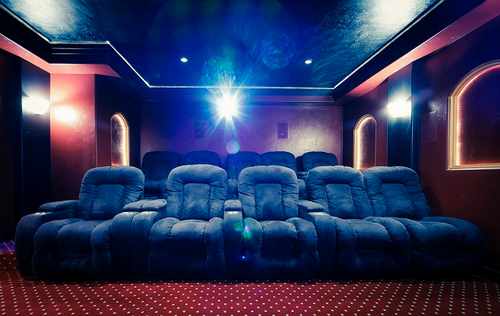
The visual center of your room dictates the entire feel of the space. OLED and LED flat screens offer incredible brightness and deep blacks for mixed-use media rooms. Dedicated home theater projectors thrive in strictly light-controlled environments for that massive cinematic scale.
Lighting and Picture Quality
For a true 4k home theater setup, you must prioritize contrast, high dynamic range capabilities, and smooth frame rates. Any solid projector installation guide notes that ambient light serves as the primary decision-maker for projector selection. If your room features large windows that you cannot darken, a high-brightness LED flat panel is the smarter choice.
Preventing Viewer Fatigue
Proper mounting height and seating distance are non-negotiable for viewer comfort. Placing a screen too high forces you to crane your neck, leading to severe viewing fatigue during long movies.
- Position the center of the screen at eye level when seated.
- Keep a minimum distance of 1.5 times the screen diagonal for standard 4K viewing.
- Avoid placing reflective seating materials directly under the screen to prevent light bounce.
The Audio Foundation: Receivers and Speaker Configuration

Great video demands equally powerful audio. The hierarchy of sound starts with a strong center channel, which handles almost all movie dialogue. From there, you build out to immersive 5.1, 7.1, or advanced spatial audio layouts.
Powering the System
The av receiver setup acts as the brain of your entire entertainment system. It decodes the audio signals and routes high-resolution video to your display. Channel matching and proper power distribution help the best home theater speakers perform to their absolute maximum potential.
Achieving 3D Sound
A proper dolby atmos setup guide points toward using dedicated height channels. These overhead speakers deliver a true 3D spatial audio experience. Hearing a helicopter fly physically over your head completely transforms the viewing experience. We frequently recommend pairing high-current amplifiers with demanding tower speakers for peak dynamic range.
Calibration and Technical Fine-Tuning
Buying premium hardware only gets you halfway to the finish line. Proper av receiver calibration pulls the entire system together to deliver professional-grade results. Modern receivers include highly capable room correction software to balance frequencies based on your specific layout.
Troubleshooting Audio Quirks
You might encounter frustrating audio sync issues where the dialogue does not match the moving lips on the screen. Most modern receivers allow you to adjust the audio delay in milliseconds to perfectly align the signal. Setting precise input volume levels prevents harsh volume jumps when switching between cable boxes and streaming devices.
HDMI Handshakes
Getting all your devices to communicate clearly takes patience.
- Verify all devices correctly handshake over HDMI ARC or eARC connections.
- Enable consumer electronics control within your TV menu to link power commands.
- Use certified ultra-high-speed cables to pass uncompressed audio formats.
Smooth Control and Smart Automation

A truly great home theater prioritizes the daily user experience just as much as raw performance. Unified control systems effectively replace that confusing coffee table full of remotes. One button press should handle everything from turning on the projector to lowering the volume.
Tying the Room Together
Advanced home theater design tips often focus on environment integration. You can connect your lighting control systems, motorized window shades, and climate control into one automated ecosystem. The room darkens, the screen drops, and the temperature adjusts instantly.
Simplifying the Complexity
At Custom Residential Systems, we take the frustration out of complex integrations. We program these automated routines so that your family can simply sit down and hit play.
Choosing the Best Audio Path for Your Needs
When researching soundbar vs surround sound, you must weigh your aesthetic preferences against your performance demands.
|
Feature |
Component Systems |
Soundbar Solutions |
|---|---|---|
|
Soundstage Width |
Delivers massive, physically separated left and right channel audio. |
Simulates surround sound from a single, compact central location. |
|
Upgradeability |
Allows you to swap out individual receivers or speakers at any time. |
Restricts you to the built-in hardware with zero future upgrade paths. |
|
Installation Ease |
Requires running wires to multiple locations across the entire room. |
Mounts quickly below the TV with minimal wiring required. |
|
Aesthetic Impact |
Demands noticeable floor or wall space for multiple speaker cabinets. |
Blends quietly into the room decor with a highly minimalist profile. |
|
Cost-to-Performance |
Costs significantly more upfront but delivers true cinematic immersion. |
Offers an extremely budget-friendly path to better-than-TV audio. |
The Pros and Cons of DIY Home Theater Setup
Figuring out how to set up home theater equipment yourself offers undeniable cost savings and a great weekend project for hobbyists. However, the trade-off usually comes down to the speed and convenience of doing it yourself versus the technical performance and reliability of a professional home theater installation.
Pros
Cost Savings
Saves significant money on labor and custom programming fees.
Control Over Purchasing
Allows for complete control over component purchasing timelines.
Learning Experience
Offers a fun, hands-on learning experience for audio enthusiasts.
Cons
Lacks Precision
Lacks the precision of professional acoustic calibration tools.
Messy Wiring Risks
Risks messy visible wiring if in-wall routing proves too difficult.
Technical Issues
Exposes you to frustrating HDMI handshake and networking issues.
Start Your Professional Home Theater Project Today
A professional-grade theater requires balancing layout, high-quality hardware, and precise calibration. Nailing the home theater room layout and choosing the right gear takes your movie nights to an entirely new level.
Consult with Custom Residential Systems to kick off your next audiovisual project. Our local appliance experts provide dedicated showroom guidance, custom design, and ongoing technical support that big-box retailers simply cannot match. We handle the professional installation so you can focus entirely on picking out the perfect movie.
Frequently Asked Questions About How to Set Up a Home Theater
A 5.1 system uses five main speakers and one subwoofer, while a 7.1 system adds two rear speakers for greater depth. These extra rear channels provide a much more wrapping, immersive soundscape directly behind your seating area.
Yes, a dedicated AV receiver acts as the necessary power and processing hub for wired surround sound speakers. It decodes the complex audio tracks from your movies and provides the electrical current needed to drive individual speaker channels.
You should sit at a distance of about 1.5 times the diagonal measurement of your television screen. This mathematical ratio provides the best balance of visual clarity without causing neck or eye strain.
Projectors deliver a dramatically larger screen size that replicates the actual cinema experience better than any television. However, they require strict light control in your room to maintain proper contrast and black levels.
Dolby Atmos is an advanced audio format that adds overhead height channels to your standard surround sound configuration. It matters because it allows sound engineers to place specific audio objects physically above you in a three-dimensional space.
Yes, you can route all of your speaker wire and HDMI cables behind the drywall using proper in-wall rated wiring. This approach requires careful planning and specialized wall plates to maintain a clean, finished appearance.
Why Trust Custom Residential Systems?
Custom Residential Systems has earned a reputation as a trusted leader in home technology integration by combining expertise, innovation, and personalized service. Based in Rolling Meadows, Illinois, they focus on understanding each homeowner’s unique lifestyle and needs, ensuring every audio, video, security, and automation system is perfectly tailored. Their team of certified professionals handles design, installation, and ongoing support with precision and care, using only high-quality products and industry-leading practices. With a commitment to excellence, reliability, and long-term client satisfaction, homeowners can trust Custom Residential Systems to deliver seamless, cutting-edge solutions that enhance comfort, convenience, and entertainment throughout their home.